Clock In Clock Out App for Employees: What to Look For
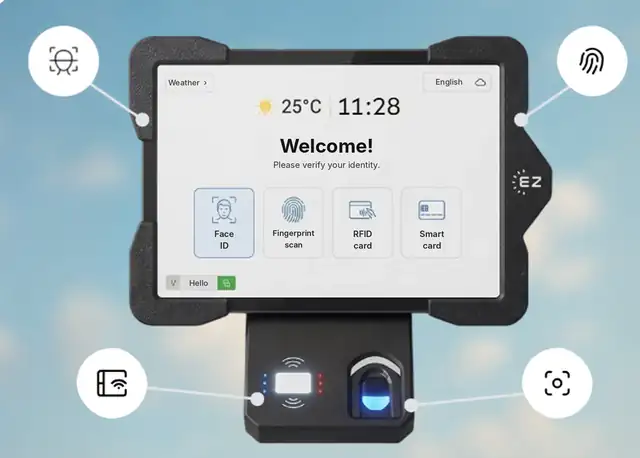
Short answer: A clock in clock out app lets employees record the start and end of each shift from their phone or from a shared tablet, instead of a paper time card or a punch clock. EZTime does both: employees clock in from the mobile app (App Store and Google Play) with GPS location, or at a company tablet with face recognition, badge or PIN. Hours, breaks and overtime go straight to payroll-ready timesheets.
Clock in from the phone or at a shared tablet.
What a good clock in clock out app should do
Record location: GPS on each punch, so you know the clock-in happened at the job.
Stop buddy punching: a shared tablet with face recognition ties each punch to the right person.
Track breaks: break start and end, with alerts for state break rules.
Warn before overtime: alerts before an employee crosses 40 hours.
Export to payroll: hours in decimal format, ready for payroll.
Handle time off: employees request PTO in the same app.
Phone app or shared tablet?
Phone app
Shared tablet (kiosk)
Best for
Field, mobile and remote teams
Plants, stores, restaurants, sites with one entrance
Identification
Employee’s own login and GPS
Face, fingerprint, badge or PIN
Needs
Employee smartphone
One tablet per entrance with internet
Many companies use both: the mobile app for field staff and a tablet kiosk at the main site.