
● Construction time tracking app

Track crew hours and labor cost by job.

GPS clock-in only on the job site, overtime calculated for you, and approved hours ready for payroll. From $4 per employee. No base fee, no contract.

Free 15-min demo14-day trialSetup help included
★★★★★4.8 on Google Play·10,000+ businesses have used EZTime
Maple St. remodel · zone 150 ft
📍
✓ Mike clocked in on site · 6:58 AM
Good morning, Mike
Clock in
📍 Maple St. remodelJob: Framing
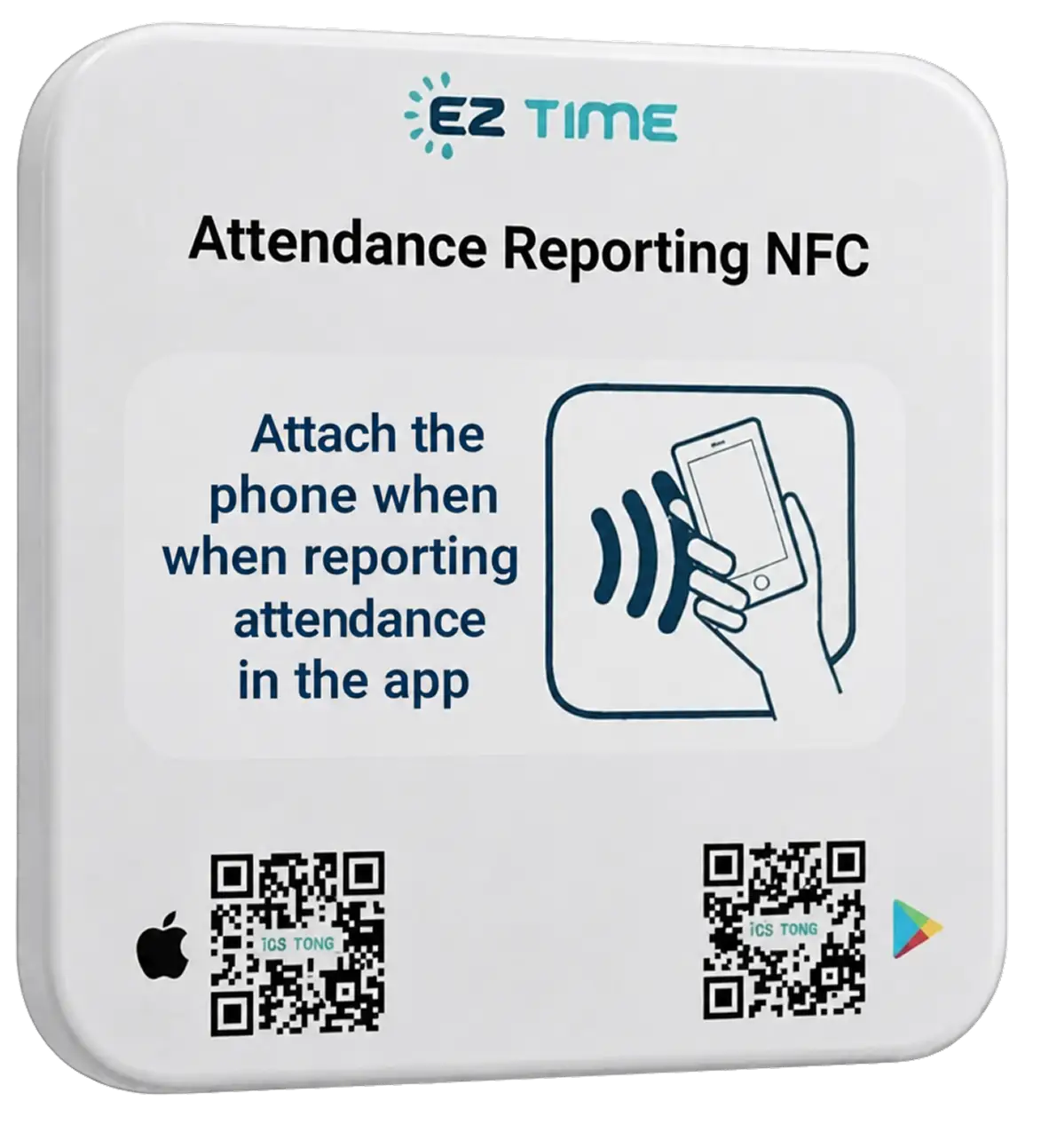
EZTime NFC tag
NFCTap the tag
✓ Clock-in recorded · 7:02 AM
This week by job
Maple St. remodel186 h · $5,890
Oak Ave. roof72 h · $2,310
Overtime16 h
✓ Approved · ready for payroll

Geofenced clock-in: crews can only clock in inside the job-site zone you draw.

Get a 15-minute demo and pricing for your crew

Leave your details and we'll reach out with pricing and a short demo built around your jobs.

No credit card · or start a 14-day trial

Used at locations of these brands, and by 10,000+ businesses

10,000+businesses have used EZTime
4.8 ★Google Play rating
$0base fee, no contract
7 yearsof time records stored
Why contractors switch

Less paperwork. Lower labor cost.

What changes in the first month with EZTime.

0

paper timecards

Crews clock in on their phone at the site. No more collecting, reading and retyping timecards on Monday.

Every hour

tagged to a job

Every hour lands on a project with its labor cost, so you bid the next job on real numbers, not guesses.

Minutes

to run payroll, not hours

Overtime is calculated, missed punches are flagged, and approved hours export in one click.

Savings calculator

What do "just 10 more minutes" a day cost you?

Rounded-up start times, a late arrival written down as on time, an early exit that isn't. Drag the sliders and see what it adds up to.

Crew size15
Padded minutes per worker per day10 min
Average hourly wage$28
Office hours per month on timesheets8 h
Your estimated monthly loss
$1,452
About $17,424 a year
Padded minutes$1,228
Office time on timesheets$224
With EZTime every punch is recorded on site in real time, hours are calculated automatically, and timesheets are ready for payroll.
Estimate only, based on your inputs and 22 workdays a month.
Construction crew checking hours on a tablet at the job site
12 crew on site now
Maple St. remodel186 h · $5,890 labor
⚠ Missed clock-out: Jake, 5:30 PM
How it works

Set it up once. Payroll is ready every week.

1

Add your jobs and site zones

Draw a zone around each job site and set your pay and overtime rules. We help you set it up.

2

Crews clock in on site

With the phone app inside the zone, by tapping the NFC tag on the trailer, or the foreman clocks in the whole crew.

3

Approve and export

Fix missed punches, approve the week and export hours by job for payroll.

What EZTime does for you

Timesheets that run themselves

Crews clock in on site, EZTime does the math, and you just approve and export.

Hours and labor cost by job

Every punch is tagged to a project, so you see hours, overtime and labor cost per job before you bid the next one.

JobHoursOvertimeLabor costMaple St. remodel18612$5,890Oak Ave. roof724$2,310

Clock in only on site

Draw a zone around each job site. Punches from the truck or from home are blocked.

Run it from your phone

See who is on which site right now, fix missed punches and approve hours from anywhere.

Alerts, not surprises

Late arrivals, missed clock-outs and overtime alerts reach you the same day, not on payroll day.

Payroll export in one click

Daily and weekly overtime is calculated for you. Export approved hours to Excel or CSV for your payroll provider.
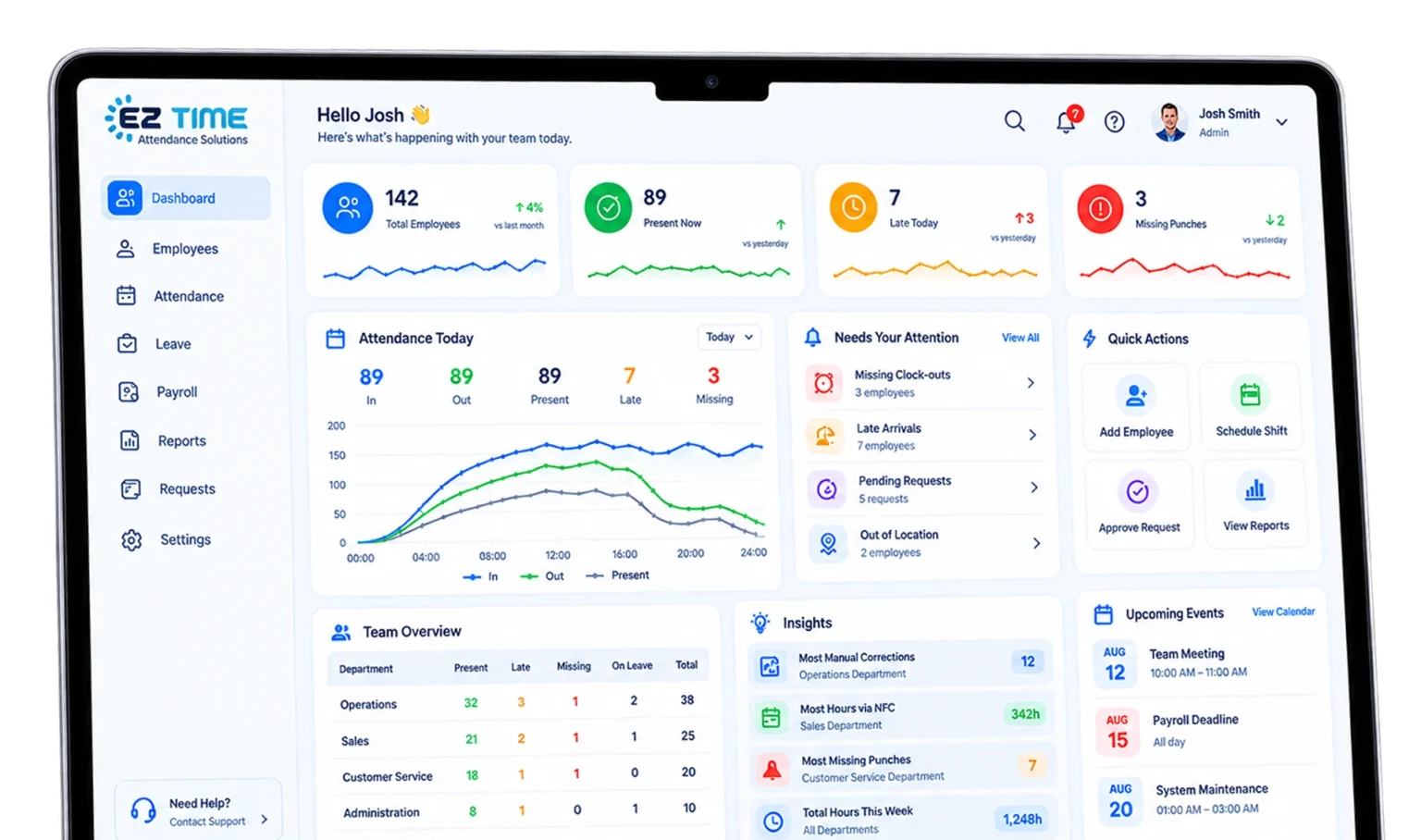
EZTime manager dashboard
The manager view: every crew, job and exception on one screen

Payroll day? The hours are already done.

No more chasing crews for hours on Sunday night. You get approved timesheets, split by job, ready to send to payroll.

Paper timecards"I was there at 7"Hours texted to the officePayroll mistakes
Customers

What our customers say

Real reviews from EZTime customers.

★★★★★
4.8Google Play
★★★★★
4.7App Store
★★★★★
5.0Google reviews, 100+
★★★★★

"I moved to a cloud system after years on a punch clock. It's convenient, efficient and easy for employees and managers. Simple interface, detailed reports, and a professional, fast support team."

Ravit KwinaGoogle review
★★★★★

"Before EZTime we had a system that wasn't in the cloud. Switching was one of the best decisions we made for the company. Zero glitches."

Michael NovikPayroll Accountant, GenCell
★★★★★

"The sales and support people are professional and honest. Answers are always immediate. Easy for my employees and for me. One of the right decisions for the business."

Michal SandoriOwner, Michali Curtains
From $4 per employee / month
Job costing with unlimited jobs: $6 · 14-day trial · No contract · $20 minimum
50+ employees? Talk to us
FAQ

Questions contractors ask

Straight answers before you start.

What about workers without a smartphone?

A foreman can clock in the whole crew at once, or you can put a time clock at the yard. All punches land in the same timesheet.

Can my crew clock in from home or the truck?

No. With a geofence they can only clock in inside the job-site zone, and with an NFC tag they must tap it on site.

What if there's no signal on site?

The app records the punch and syncs it when the phone is back online.

Does it calculate overtime?

Yes. You set daily and weekly overtime, weekend and holiday rules, and EZTime applies them to every timesheet.

Does it work with my payroll?

You export approved hours to Excel or CSV and upload them to your payroll provider. Need a direct connection? Tell us which payroll you use.

Is there a contract?

No. Plans are month-to-month and you can cancel anytime. Paying yearly saves 20%.

Stop chasing hours. Start seeing job costs.

Leave your details and we'll reach out with pricing and a 15-minute demo built around your jobs.

No credit card · Cancel anytime · or start a 14-day trial

EZ Time Solutions · Privacy · Terms
© 2026 EZTime. All rights reserved.